Sawia helps you track and plan your money and investments.

Record your savings, investments and debts. See your net worth and test your plans with forecasts in your own private workspace.

Your money stays where you keep it. Sawia does not accept deposits or invest money for you.

Full access to tracking and planning tools at no charge for now. No payment details needed. Offer details

A view of Morgan's fictional Sawia workspace
A fictional demo workspace. Watch the short tour
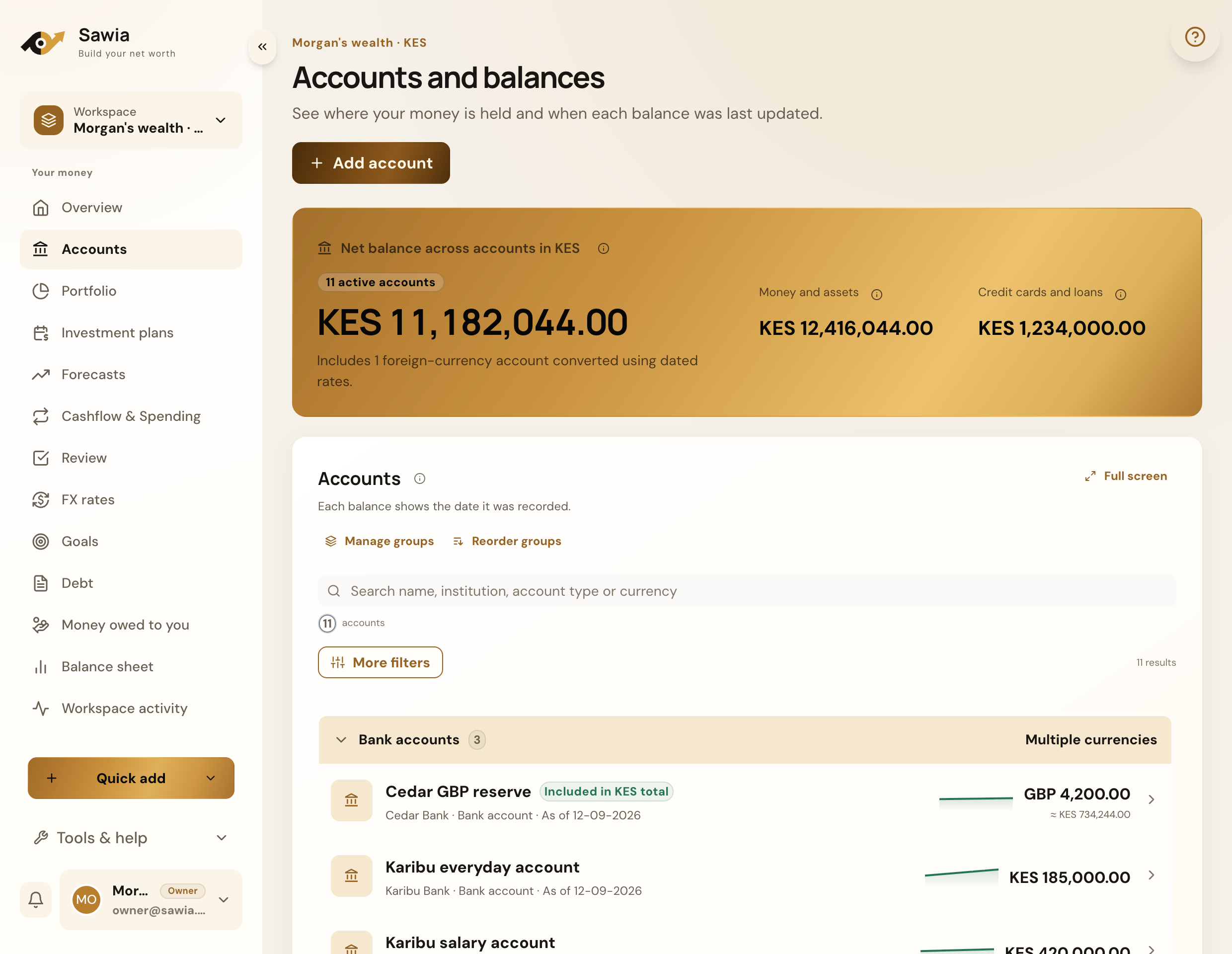
Sawia accounts view with grouped bank accounts and balances

Track balances across your accounts.

Add an account for each place you keep money or investments. A credit card or loan belongs here too. Check each account's balance history in its original currency.

  • Bank, mobile money and cash accounts
  • Credit cards, loans and money market accounts
  • Account groups and lifecycle controls
  • Dated balances in their original currency
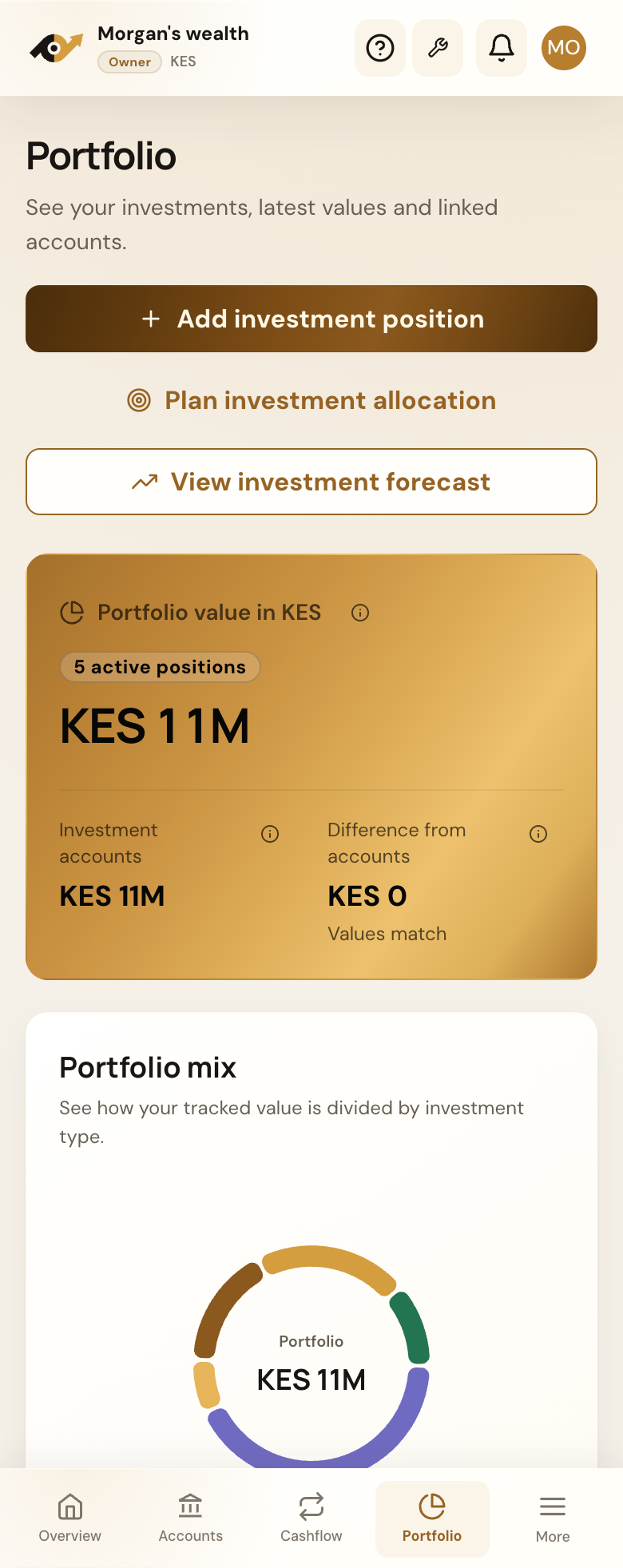
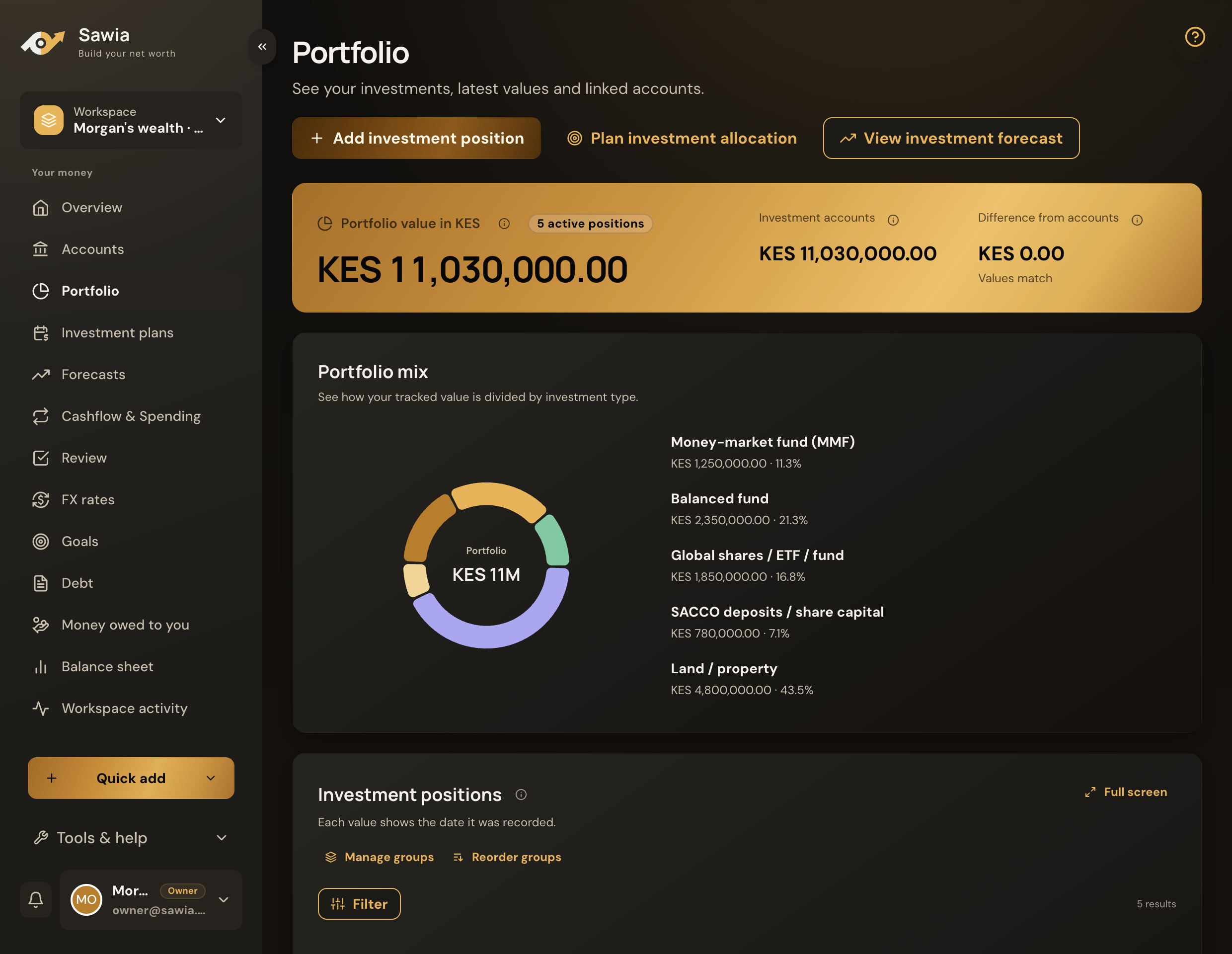
Sawia portfolio showing total investment value and the mix of investment types

Follow your investments in one portfolio.

Track holdings across different providers and asset types. Open a position to check its value and the account it belongs to.

  • Portfolio value and investment mix
  • Grouped positions across asset classes
  • Contributions, withdrawals and recorded performance
  • Return settings for forecasts
Explore investment tracking
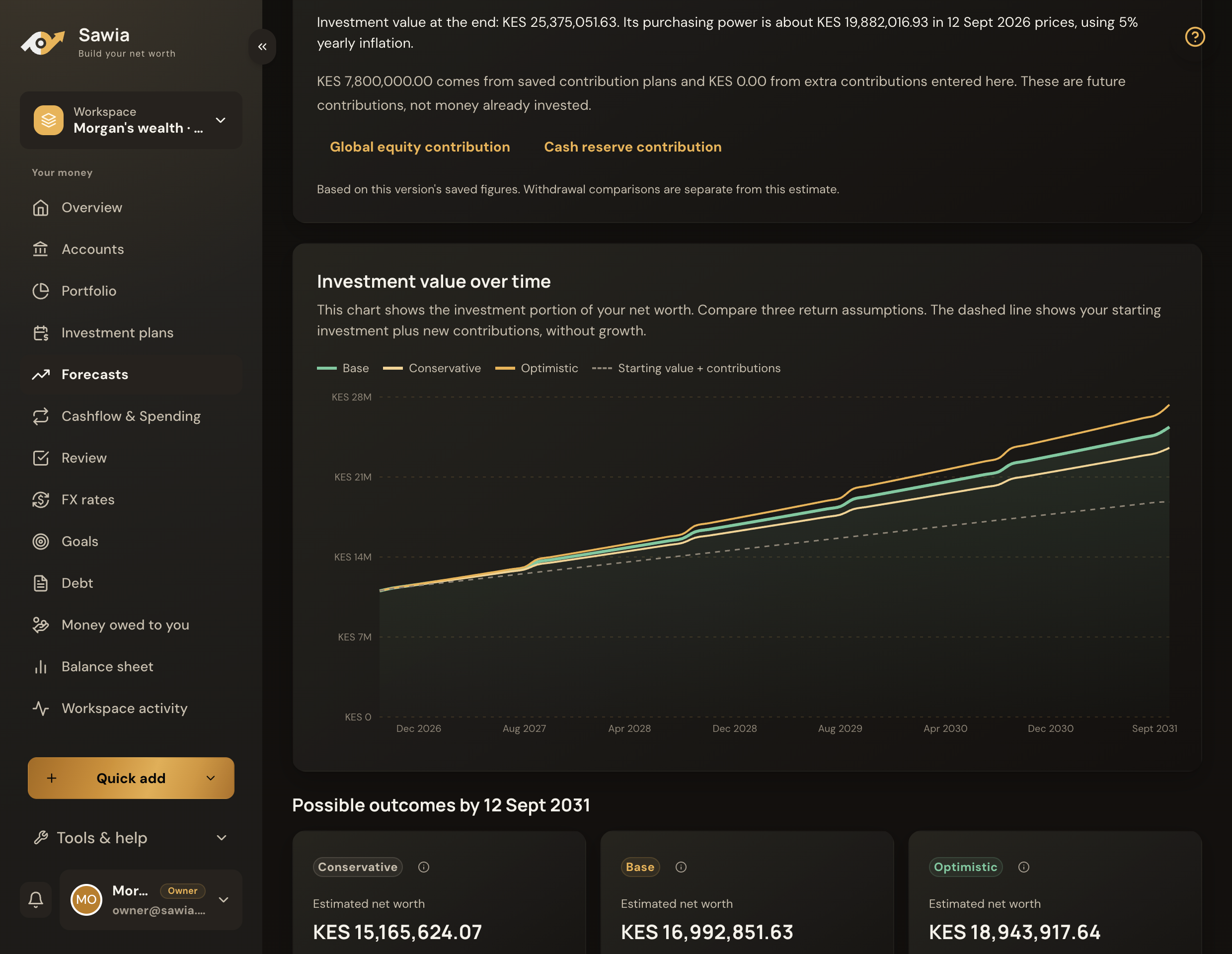
Sawia five-year investment forecast comparing conservative, base and optimistic outcomes

Test your plans with forecasts.

Forecast one investment or your wider financial picture. Use your recorded values and planned contributions, then check the assumptions behind each result.

  • Conservative, base and optimistic estimates
  • Visible return, inflation, tax and fee assumptions
  • Forecasts from current records or custom figures
  • New versions when your plans change
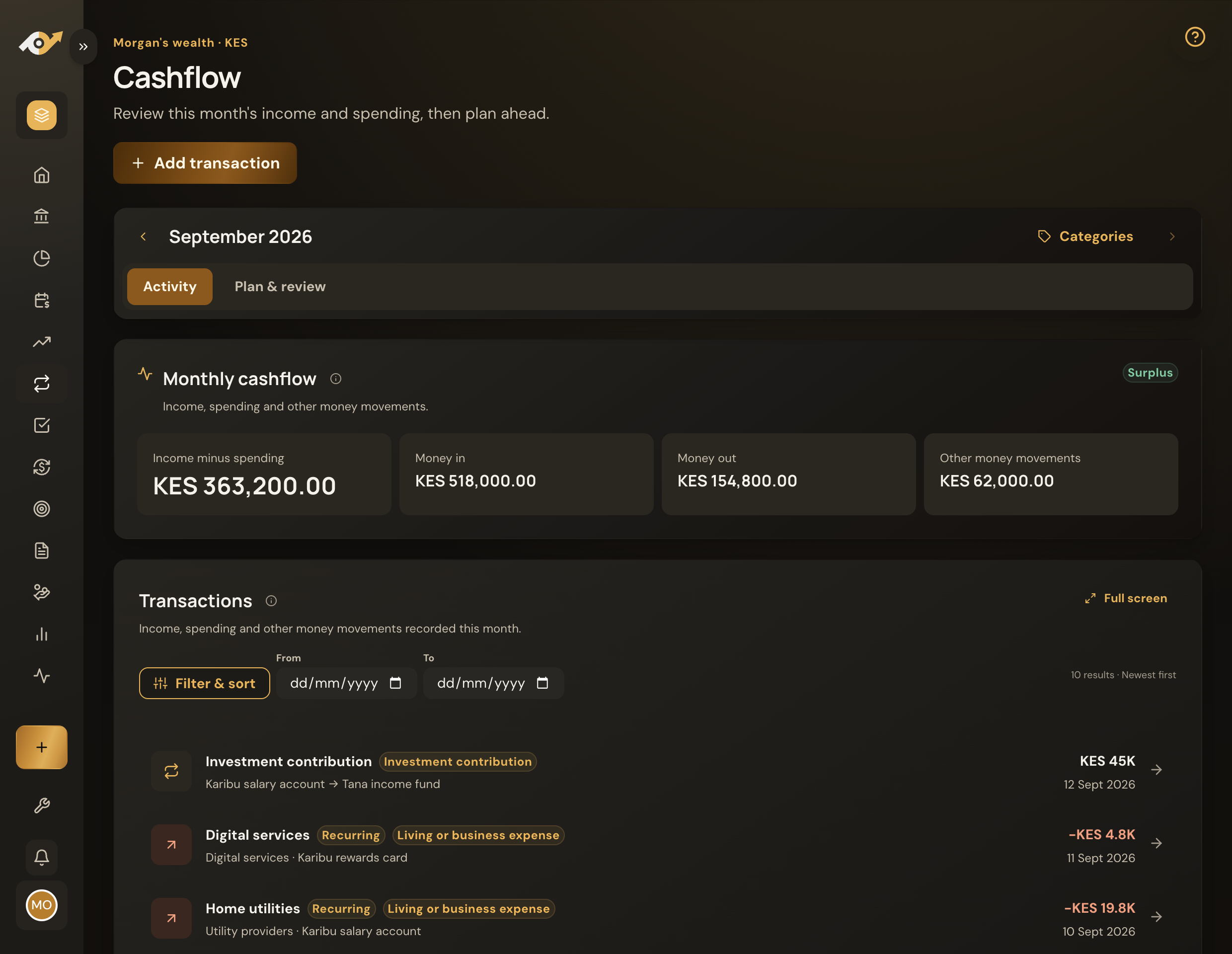
Sawia cashflow showing monthly income, spending and recorded transactions

Plan income, bills and contributions.

See expected income alongside bills and planned contributions. Check what is funded before you make another commitment.

  • Transactions, transfers and statement imports
  • Expected money and recurring bills
  • Budgets, sinking funds and subscriptions
  • Investment schedules and funding checks

Sawia shows what you own and owe.

Record your assets and debts. Choose a date to view the total, then check the figures behind it.

  • Assets, liabilities and money in transit
  • Original and reporting currencies
  • Changes in your financial position over time
  • A dated balance sheet you can export
Start with your accounts
Know where the number comes from.

One Sawia account. Separate financial spaces.

Each workspace has its own accounts, budgets, investments and goals. Switch between them with one sign-in.

Your workspaces are private by default. You can invite a partner or family member to a specific workspace and choose what they can view or change. Your other workspaces stay private.

Explore the Household plan
Your personal finances
Your savings, investments and individual goals.
Shared household plans
Household bills, a shared budget and family goals.
A property or project
Separate records for its costs, funding and financial plans.

What you can do in Sawia.

Explore the current tools for your wealth, daily money and financial plans.

Track your wealth

Accounts and balances
Keep dated records for banks, M-Pesa, cash, investment accounts and loans.
Net worth and balance sheets
View assets and liabilities for a chosen date. Check the figures behind the total.
Investment portfolio
Track MMFs, SACCOs, securities, property and other holdings by account and asset type.
Investment performance
Follow recorded values, contributions, withdrawals and returns.
Debt and repayments
Record loan and overdraft balances, payment schedules, principal, interest and fees.
Money owed to you
Track personal lending and repayments separately from spending.

Plan your investments

Goals
Set a target and date. Track progress and calculate regular contributions.
Investment scheduling
Plan one-off or recurring contributions. Review due, completed and deferred amounts.
Investment allocation
Set target weights and review how planned contributions could be distributed.
Funding checks
Check planned contributions against account balances and protected reserves.
Forecasts and scenarios
Compare conservative, base and optimistic estimates with editable assumptions.
Financial calculators
Work out savings growth, goal contributions and loan repayments without leaving the app.

Manage daily money

Budgets and templates
Set monthly category budgets, compare recorded spending and reuse a plan in another month.
Expected income
Schedule income and review it against the money you've recorded.
Bills and subscriptions
Plan recurring payments and see how they affect monthly funding.
Sinking funds
Set money aside for future expenses and follow the funding plan.
Transactions and transfers
Record money in, money out and transfers with your own categories.
Statement imports
Review supported M-Pesa PDFs or map CSV, Excel and text-based PDF statements before saving.

Stay informed and in control

Notifications and reminders
Review in-app alerts. Choose optional email or device reminders, timing and quiet hours.
Review centre
Check unmatched transfers, older balances and financial records that need a decision.
Multiple workspaces
Keep separate financial views under one sign-in. Explore workspaces
Invitations and access controls
Choose who can view or change a workspace, and see who updated a record.
Currencies and exchange rates
Keep original currencies and use dated rates for your reporting currency.
Exports and backups
Export records or download and restore a workspace backup.
Academy and glossary
Read financial explanations and look up terms while you work.

You don't have to record everything on day one.

Start with the accounts that matter most. Add detail when it's useful.

  1. Add your main accounts

    A bank account, M-Pesa or an investment account is a useful place to start.

  2. Record their balances

    Enter a balance and its date. You can record transactions yourself or use a supported statement import.

  3. See your wealth picture

    Open your net worth and portfolio. Add a goal or forecast when you're ready to plan ahead.

See where Sawia could fit in your life

Your financial records stay private.

You choose what to record and who to share it with. Sawia doesn't sell your personal data or use your financial records to target advertising.

Read our privacy policy

Your statement stays on your device.

Statement imports are processed locally. The original file and PDF password aren't uploaded. Original transaction descriptions and references aren't saved.

You review what gets saved.

Sawia saves balances and daily totals by transaction type, with general descriptions and the categories, labels or account links you choose.

Start tracking and planning with Sawia.

Start with your main accounts. Add investments and debts as you go.

Full access to tracking and planning tools at no charge for now. No payment details needed. Offer details

Sawia on mobile

A silent preview of Portfolio and Cashflow in Morgan's fictional demo workspace.